

Build an agent knowledge base
Promptless updates these files automatically as it learns from your feedback. Organization admins can edit them directly, while other members have read-only access.
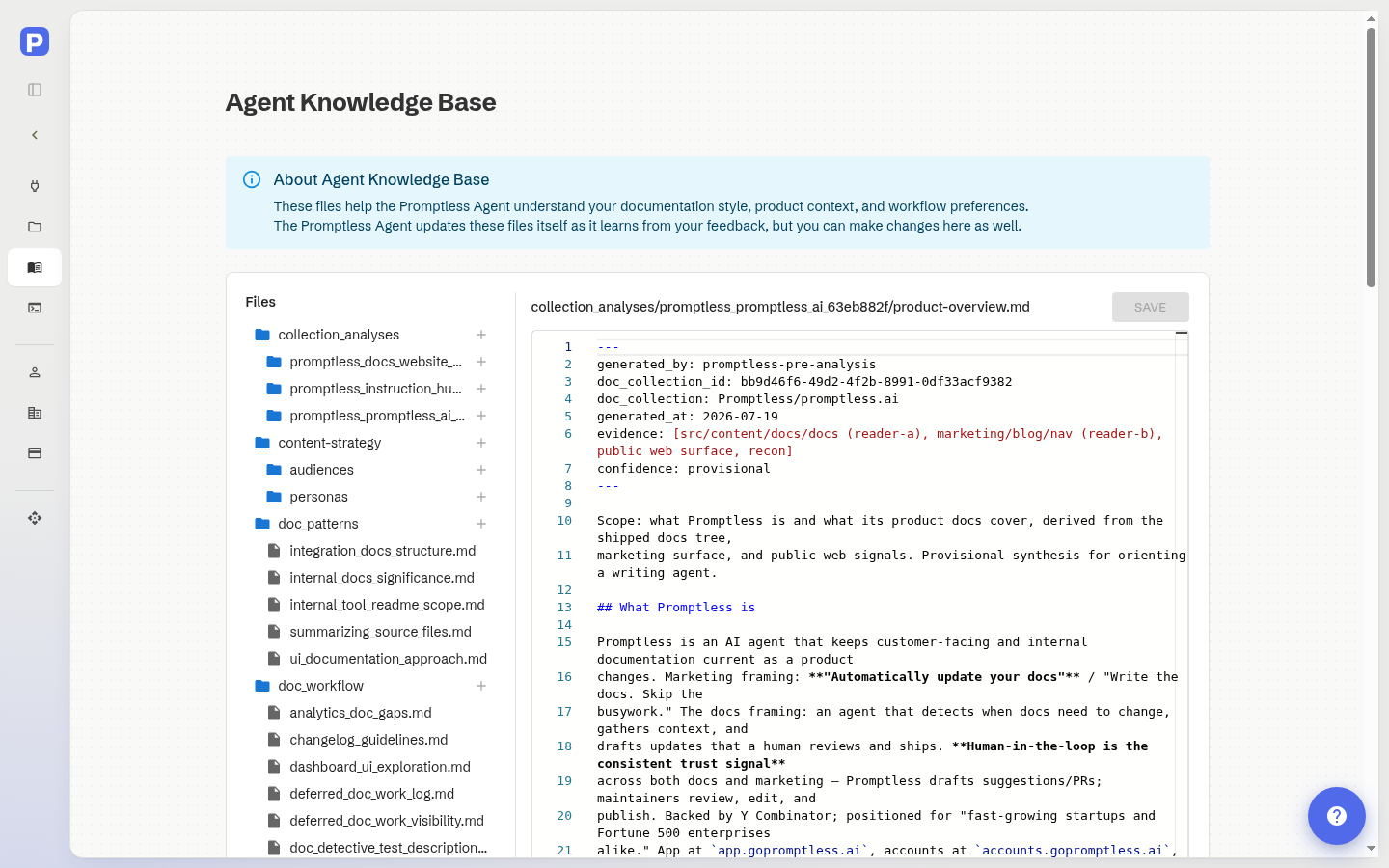
Access the Agent Knowledge Base
Section titled “Access the Agent Knowledge Base”In the left sidebar, open Settings and select Agent Knowledge Base.
Recent updates by Promptless
Section titled “Recent updates by Promptless”View recent updates Promptless has made to these files based on your feedback.
Each update includes:
- Date of the update
- Files changed
- Link to the suggestion that triggered the update
This shows how your feedback shapes Promptless’s understanding of your documentation preferences.
Knowledge Base files
Section titled “Knowledge Base files”Four files in the Knowledge Base shape how Promptless works for your whole organization. The file tree marks each one with the Promptless logo. Hover over or focus the logo to see what the file does. When you open one of these files, the same explanation appears above the editor.
| File | Purpose |
|---|---|
PROMPTLESS.md | Shared instructions that Promptless receives at the start of every session. Put rules Promptless must always follow here, including the “If, then” hooks that activate custom tasks. |
promptless.yaml | Your Promptless configuration, which covers triggers, doc collections, context sources, and policies. Edit it on the Configuration page, which the explanation above the editor links to. See the Configuration reference for every field. |
style/client_style_guide.md | Your documentation style guide. Promptless is instructed to read it before writing or revising your documentation. If your repo includes a style guide or Vale rules, reference those files here. Promptless updates this file as it learns your style preferences from feedback. |
doc_workflow/notification_preferences.md | Your preferences for the notifications Promptless sends, such as whom it mentions and how it formats messages. Promptless is instructed to read this file when it writes a notification. |
Promptless marks only these exact paths. A file with the same name in a different folder, such as notes/PROMPTLESS.md, has no logo.
Doc collection analysis
Section titled “Doc collection analysis”When you connect a docs repository, Promptless studies it as a whole. This covers your existing documentation, the repository’s full commit history, and your public docs site. Promptless records what it learns in a collection_analyses/ folder in the Agent Knowledge Base. Each connected docs repository gets its own subfolder. Promptless reads this analysis at the start of every documentation task, so its suggestions reflect how your product and docs actually work.
Each analysis folder contains:
| File | Contents |
|---|---|
README.md | An index of the analysis and its headline findings. |
product-overview.md | What your product does, its key concepts, and terminology. |
audience-and-personas.md | Who your documentation serves and what knowledge each reader is assumed to have. |
content-strategy.md | Critical user journeys, where new content belongs, and gaps in your information architecture. |
team-workflows.md | Patterns from your commit history, such as update cadence, authorship, and which pages tend to change together. |
style-observations.md | Voice, formatting, and terminology patterns observed in your docs. |
During analysis, Promptless also proposes Vale rules from your style guidance. It records them under a style/vale/ area and, when it can place them in your documentation repository, opens a suggestion to bring them in. See Propose Vale rules from your style guidance.
How the analysis is generated
Section titled “How the analysis is generated”Promptless generates the analysis when you connect a docs repository during setup, so it reflects your documentation at that time. You can edit the analysis files anytime to correct or refine them, and Promptless treats your edits as ground truth on future tasks.
If you’ve connected Slack or Microsoft Teams, Promptless notifies you in your configured channel when the analysis finishes. Without a chat integration, the files simply populate in the Agent Knowledge Base when the analysis finishes.
View files
Section titled “View files”Click any file in the tree view to open it in the editor. All organization members can view these files to understand how Promptless has been configured.
When you open a file, the URL updates with a ?file=<path> query parameter for that file. You can bookmark or share a link that opens the editor directly to it. Recipients still need their own access to your organization to open the link. Your browser’s back and forward buttons move between the files you’ve viewed.
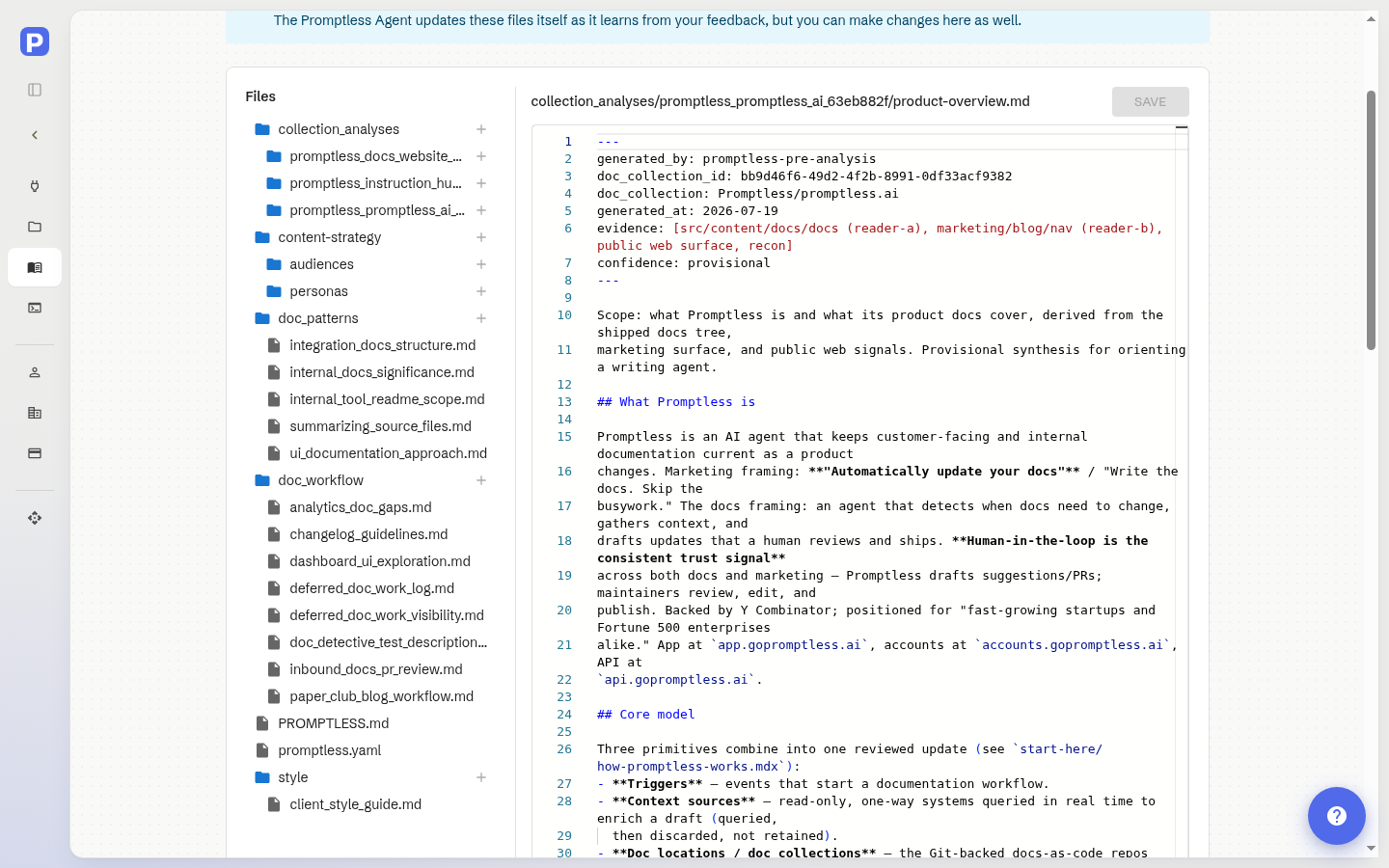
Edit files
Section titled “Edit files”To edit a file:
- Make your changes in the editor
- Click Save
- Your changes are committed directly to the repository
Create files
Section titled “Create files”Click the + button next to any folder to create a new file inside it. Or click the new-file icon at the root to create a top-level file.
In the dialog:
- Enter a file name without the
.mdextension (Promptless adds it automatically) - Click Create
The file opens in the editor immediately. To create nested paths, enter nested/path/filename in the dialog. Promptless creates any intermediate folders automatically.
How Promptless uses these files
Section titled “How Promptless uses these files”Promptless loads PROMPTLESS.md into every session. It reads the other files when a task calls for them. For example, it reads your style guide before it writes documentation.
When you provide feedback on suggestions (through PR comments, the web interface, or Slack), Promptless may update these files. It applies what it learned to future tasks.
Need help? Contact us at help@gopromptless.ai.